
Description
Stop starting from scratch. Layouts for Divi gives you an ever-growing library of pixel-perfect, professionally designed page layouts built exclusively for the Divi Builder. Browse by industry, preview live, and import with a single click — your next website is minutes away.
Whether you’re building a client site on a deadline or launching your own brand, Layouts for Divi removes the hard part. Every template ships with on-brand typography, polished imagery, and smart structure so you spend your time on what matters: your content and your customers.
Who Is This For?
Layouts for Divi is the perfect companion for everyone who builds with Divi:
- Freelancers & Agencies — deliver client projects faster without sacrificing quality.
- Business Owners — get a stunning site live without hiring a designer.
- Bloggers & Creators — make a first impression that keeps visitors coming back.
- Developers — use battle-tested layouts as a solid starting point for custom builds.
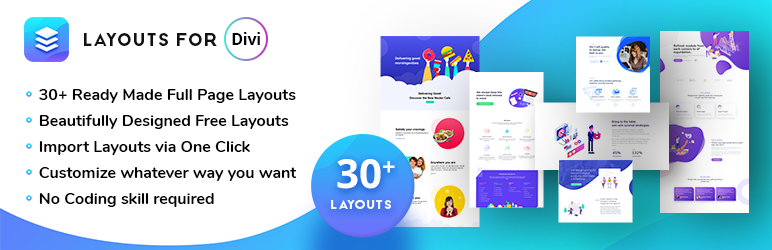
30+ Ready-Made Layouts Across Every Industry
Pick your niche, preview instantly, and import in one click:
- Home Maintenance
- Web App
- Crezy Yoga
- Education
- Go Hub
- The Pizzerio
- Web Agency
- Analytics Landing Page
- Development Agency
- Education E-learning
- Marketing Landing Page
- Portfolio
- Restaurant
- Super Service Mockup
- Vertigo Web Development
- Fredo SaaS Landing Page
- Travel Guide
- Blatropt SaaS Landing Page
- Resto
- Nectar Cafe
- Business Corporate
- Barberica Salon
- Coffee Shop
- Cleaning Services
- Event Jungle
- Photographer
- Bire Real Estate
- Wedding
- Gym
- Spa
- Mobile App Landing Page
- More added regularly!
Everything You Need, Nothing You Don’t
One-Click Import — No uploading, no copying, no confusion. Browse, click Import, and you’re done.
Import to Divi Library or Create a New Page — Bring a layout into your Divi Template Library for reuse, or instantly spin up a brand-new page pre-loaded with your chosen design.
Industry Filter — Sort layouts by category so you go straight to what fits your project: Education, Restaurant, SaaS, Real Estate, Fitness, and more.
Fully Responsive — Every layout looks flawless on phones, tablets, and desktops right out of the box.
Cross-Browser Ready — Tested on Chrome, Firefox, Safari, Edge, and Opera. Your visitors see perfection regardless of their browser.
SEO-Friendly Markup — Clean, semantic HTML that search engines love — give your site the ranking head start it deserves.
Lightweight & Fast — Zero bloat. The plugin adds no overhead to your front end; it only loads what’s needed in the admin.
No Coding Required — Seriously. If you can click a mouse, you can build with Layouts for Divi.
Free Forever — Every layout in the library is 100% free for personal and commercial projects.
What Makes Layouts for Divi Stand Out?
- 100% free — no hidden fees, no paywalls on core layouts.
- Category-based filtering to find your perfect match instantly.
- Live full-page preview before you commit to any import.
- Regular new layouts added — your library keeps growing.
- Built by a team that responds to support requests quickly.
Get Help Fast
We’re active and responsive. If you run into anything, head to our Support Forum on WordPress.org or contact us directly.
Note: Layouts for Divi is an add-on for the Divi Page Builder and requires Divi to be installed and active.
Love Layouts for Divi?
It takes 30 seconds and means the world to us — leave a ★★★★★ review on WordPress.org.
Screenshots


Installation
From Your WordPress Dashboard
- Go to Plugins > Add New
- Search for Layouts for Divi
- Click Install Now
- Click Activate
Manual Install via WordPress.org
- Download Layouts for Divi
- Upload the ‘layouts-for-divi’ folder to /wp-content/plugins/
- Activate Layouts for Divi from your Plugins page
FAQ
-
Do I need the Divi theme or just the Divi Builder plugin?
-
Either works. Layouts for Divi is compatible with both the Divi theme and the standalone Divi Builder plugin.
-
Can I import layouts into my Divi library?
-
Absolutely. You can import any layout directly into your Divi Template Library with one click, or create a brand-new page from it.
-
Are all the layouts really free?
-
Yes — 30+ layouts and counting, all completely free for personal and commercial use.
-
Can I customise the layouts after importing?
-
Of course! Every layout opens in the full Divi Builder where you can change colours, fonts, images, and content to match your brand exactly.
-
Will Layouts for Divi slow down my website?
-
No. The plugin only loads assets on the admin Layouts page. Your front end is completely unaffected.
-
For which kinds of websites can I use these layouts?
-
Any website that runs the Divi Builder: agency sites, portfolios, restaurants, e-commerce stores, landing pages, blogs, and more.
-
Where can I get support?
-
Visit the official WordPress.org support forum or contact Techeshta directly.
Reviews


Contributors & Developers
“Layouts for Divi” is open source software. The following people have contributed to this plugin.
Contributors


“Layouts for Divi” has been translated into 1 locale. Thank you to the translators for their contributions.
Translate “Layouts for Divi” into your language.
Interested in development?
Browse the code, check out the SVN repository, or subscribe to the development log by RSS.
Changelog
1.2
Release date: June 23rd, 2026
- Security: Removed unauthenticated AJAX access — handle_import and handle_sync now require a logged-in user
- Security: Added nonce verification before reading POST data in all AJAX handlers
- Security: Added wp_unslash() to all $_POST reads before sanitization
- Security: Added current_user_can() capability checks to handle_import (edit_posts) and template_sync (manage_options)
- Security: Fixed SQL injection vulnerability — replaced raw query with $wpdb->prepare() in create_page()
- Security: Replaced file_get_contents() for remote URLs with wp_remote_get() (WordPress HTTP API)
- Security: Sanitized $_GET[‘page’] with sanitize_key() before use
- Security: Added nonce to sync AJAX call in admin.js
- PCP: Moved lfd_layouts_function() out of lfd_menu() method — now a proper class method lfd_layouts_page()
- PCP: Changed menu capability from ‘administrator’ (role) to ‘manage_options’ (capability)
- PCP: Fixed wp_register_style() version from float 1.0 to string ‘2.0’; corrected 5th parameter to ‘all’
- PCP: Replaced exit with wp_die() at end of all AJAX handlers
- PCP: Removed enqueue of unregistered script lfd-admin-live-script
- Code: Fixed return esc_html_e() bug — esc_html_e() returns void; changed to return 0
- Code: Removed unused $result = array() variable in create_page()
- Code: Cleaned up return $result = array(…) to return array(…) in lfd_get_new_image()
- Code: Removed leftover commented-out include_once lines in lfd_include_files()
- Code: Added strict true comparison to in_array() calls
- Code: Cast $template_id and $media_id to int before use in sprintf() URL builders
1.1.3
Release date: May 4th, 2026
- Updated Latest WordPress 6.9 compatibility Check
- Improved overall plugin security
1.1.2
Release date: April 22nd, 2025
- Updated Latest WordPress 6.8 compatibility Check
1.1.1
Release date: July 26th, 2024
- Updated Latest WordPress 6.6.1 compatibility Check
1.1
Release Date: April 8th, 2024
- Updated: Latest WordPress 6.5 compatibility Check
- Fixed: Security, Performance, and Accessibility issue
- Fixed: Tags listing updated in readme
1.0.8
Release Date: October 6th, 2023
- Updated: Latest WordPress 6.3.1 compatibility Check
1.0.7
Release Date: December 8th, 2022
- Updated: Latest WordPress 6.1 compatibility Check
1.0.6
Release Date: May 25th, 2022
- Updated: Latest WordPress 6.0 compatibility Check
1.0.5
Release date: August 17th, 2021
- Updated: Latest WordPress 5.8 Compatibility Check
1.0.4
Release date: March 11th, 2021
- Updated: Latest WordPress 5.7 Compatibility Check
1.0.3
Release Date: August 16th, 2020
- Updated: Latest WordPress 5.6 Compatibility Check
1.0.2
Release Date: March 31st, 2020
- Updated: Latest WordPress 5.4 Compatibility Check
1.0.1
Release Date: November 29th, 2019
- Updated: WordPress 5.3 Compatibility Check
1.0
Release Date: September 28th, 2019
- Initial release on WordPress.org. Enjoy!